This post is dedicated to collecting your feedback, bug reports, and enhancement requests for the newly released G600Txi profile for the FlightSimBuilder G1000 TNxi multi-profile system.
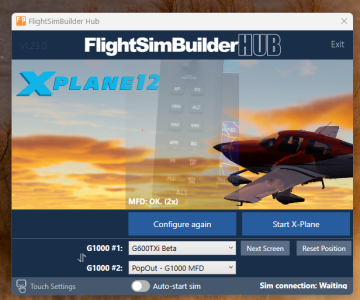
Hi all, the new 1.23 Beta has been released adding support for G600Txi for X-Plane and fixing some minor bugs for MSFS
Please keep in mind, this release is a Beta, and as with any beta, there can be things on individual users’ PCs that need to be addressed. We’ve tested it extensively on several machines, but we rely on user feedback at this stage to fine-tune the remaining quirks.
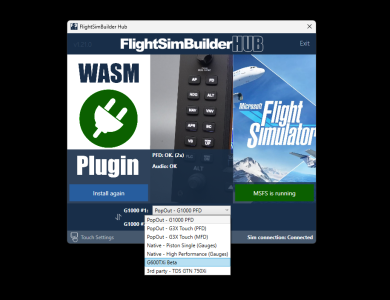
Thank you for sharing. Did you get the initial Nav data download (there should be a progress bar, it takes about 20 min). Can you please also send a screenshot of the hub?
Thanks so much for releasing the G600Txi beta for wider testing! This is great work and a nice option to have when flying in MSFS 2024.
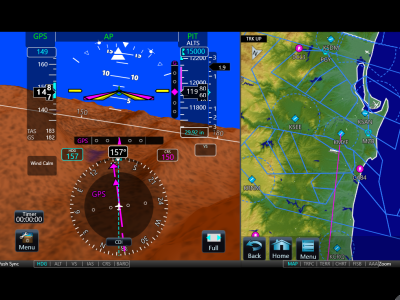
— Question: the current G600Txi window seems horizontally wider but vertically narrower than I expected. Is there a plan to adjust the aspect ratio of the current G600Txi window in the future to fill more of the available display closer to the actual G600 aspect ratio or am I missing how the G600 really displays on screen, etc.?
Thank you for sharing. Did you get the initial Nav data download (there should be a progress bar, it takes about 20 min). Can you please also send a screenshot of the hub?
Thank you for sharing. Did you get the initial Nav data download (there should be a progress bar, it takes about 20 min). Can you please also send a screenshot of the hub?
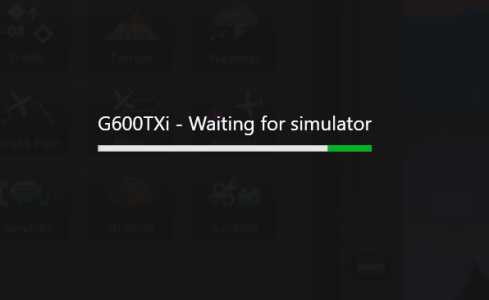
I might have a similar problem. For some reason, I was able to get the G600TXi to load and display in MSFS 2024 a few days ago, but now I just get a “G600TXi - Waiting for simulator” screen despite having launched the simulator and waiting in the plane on the runway. I haven’t made any changes to the PC since I was previously able to run the G600TXi. I’m not sure why this happened or how to resolve it.
It appears that some users having an issue with "Waiting for simulator" screen. We've shared the feedback and we we planning to release the next update removing this screen all together so the g600 app is started once the profile is selected. We expect the new release next week. We will post an update here once it's released.
I got the nav data download when starting MSFS - is it the same file for X-plane? Or does it have to download again?
Still getting the waiting for sim message with X-plane, but MSFS worked, some functions not working yet, but it loaded at least
After initially loading the G600 screen in MSFS the first time I tried it, I now only get the “Waiting for Sim” screen and have never gotten it to load again. It’s never worked in X-plane, and only the one time in MSFS.